

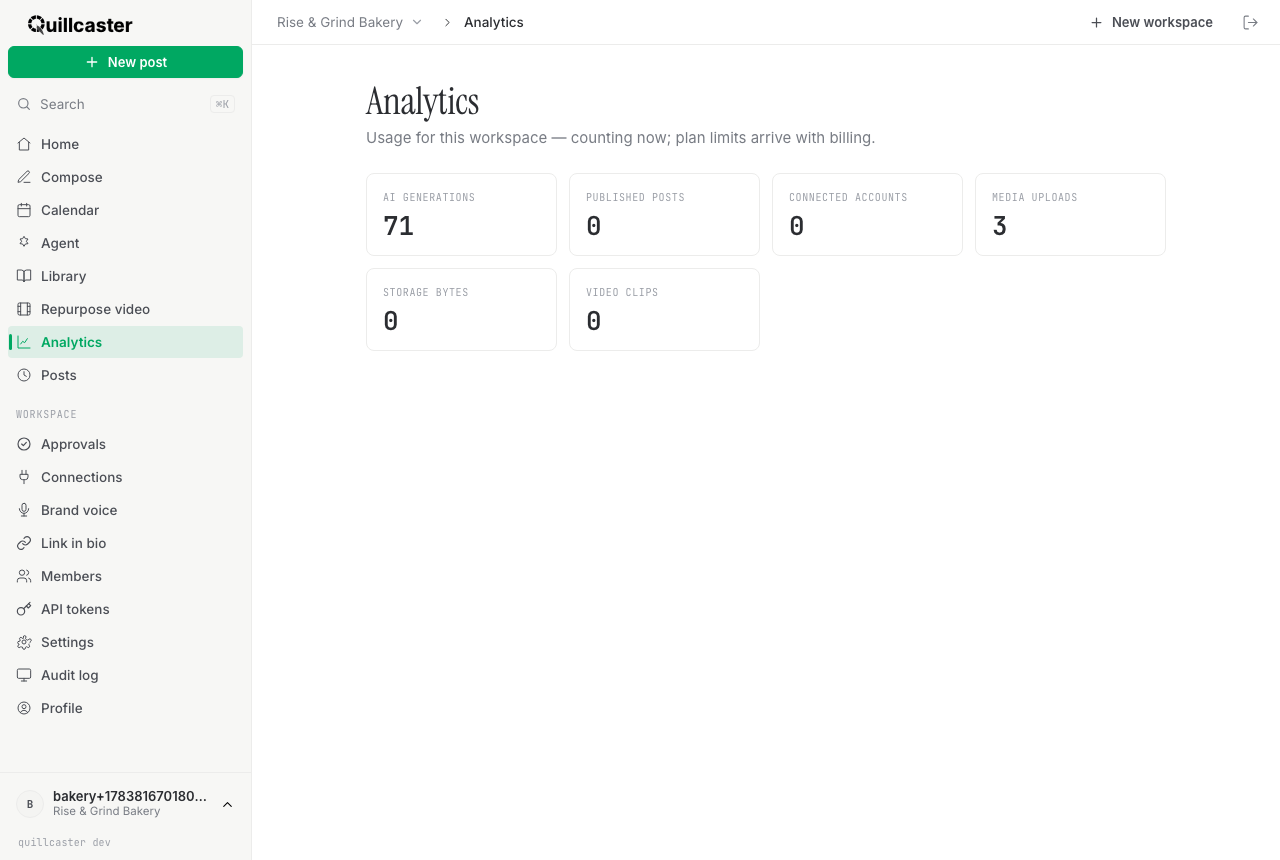
This page covers the usage screen: a grid of counters showing how much your workspace has used across a few key measures. It is a running tally, surfaced from day one, so you always know where you stand.
What is the usage screen?
The usage screen (under Analytics) shows one card per usage metric for the current workspace, each with a plain count. It is scoped per workspace, so switching workspaces reloads the numbers for that one. That is the whole screen: a set of counters.
To be clear about what this is not: it is not engagement or performance analytics. There are no likes, reach, impressions, follower counts, or charts here. It counts what you have used inside Quillcaster, not how your posts performed out in the world. If you want to see whether a specific post went out and open the live version, that lives on the Posts page instead.
Why watch your usage?
Usage is counted from the very beginning so there are never any surprises. You can see at a glance how heavily a workspace is leaning on AI, how many accounts it has connected, and how much storage its media is taking. When billing arrives, plans will carry limits on these same measures, so the counters you are watching today are exactly the ones that will matter then. For now they are informational: counting, not capping.
How to read the cards
Each card shows a metric and its current count:
- AI Generations — how many times Quillcaster has generated adapted drafts for you.
- Published Posts — how many posts this workspace has published.
- Connected Accounts — how many social accounts are connected. See connect an account.
- Media Uploads — how many images you have uploaded to the workspace.
- Storage Bytes — how much storage your uploaded media is using.
- Video Clips — how many video clips have been generated.
The numbers refresh whenever you open the screen or switch workspaces. If a count looks low, that simply means the workspace has not done much of that thing yet.
What about plan limits?
There are no hard limits enforced today. The subtitle on the screen says as much: usage is counting now, and plan limits arrive with billing. When tiers and billing land, these counters are what limits will be measured against, so nothing you see here will move or reset; it will just gain a ceiling. Until then, use the workspace freely and treat the grid as a helpful running total. If you are planning across several brands or clients, workspaces and switching explains how each keeps its own separate counts, and for agencies covers the multi-client picture.
