the product, screen by screen

See Quillcaster in action.

One idea in, a post made for every platform, published on your schedule. Here is how it works, screen by screen.

A post made for each appThe content agentA visual calendarBluesky · Mastodon · Farcaster
made for each app

One idea. A post made for every app.

You bring the thought. Quillcaster writes a genuinely different version for each platform, in your voice, not the same caption pasted everywhere. A short, punchy post for Bluesky. A longer, discursive one for Mastodon. A professional reframe for LinkedIn. You review each one, tweak what you want, and hit go.
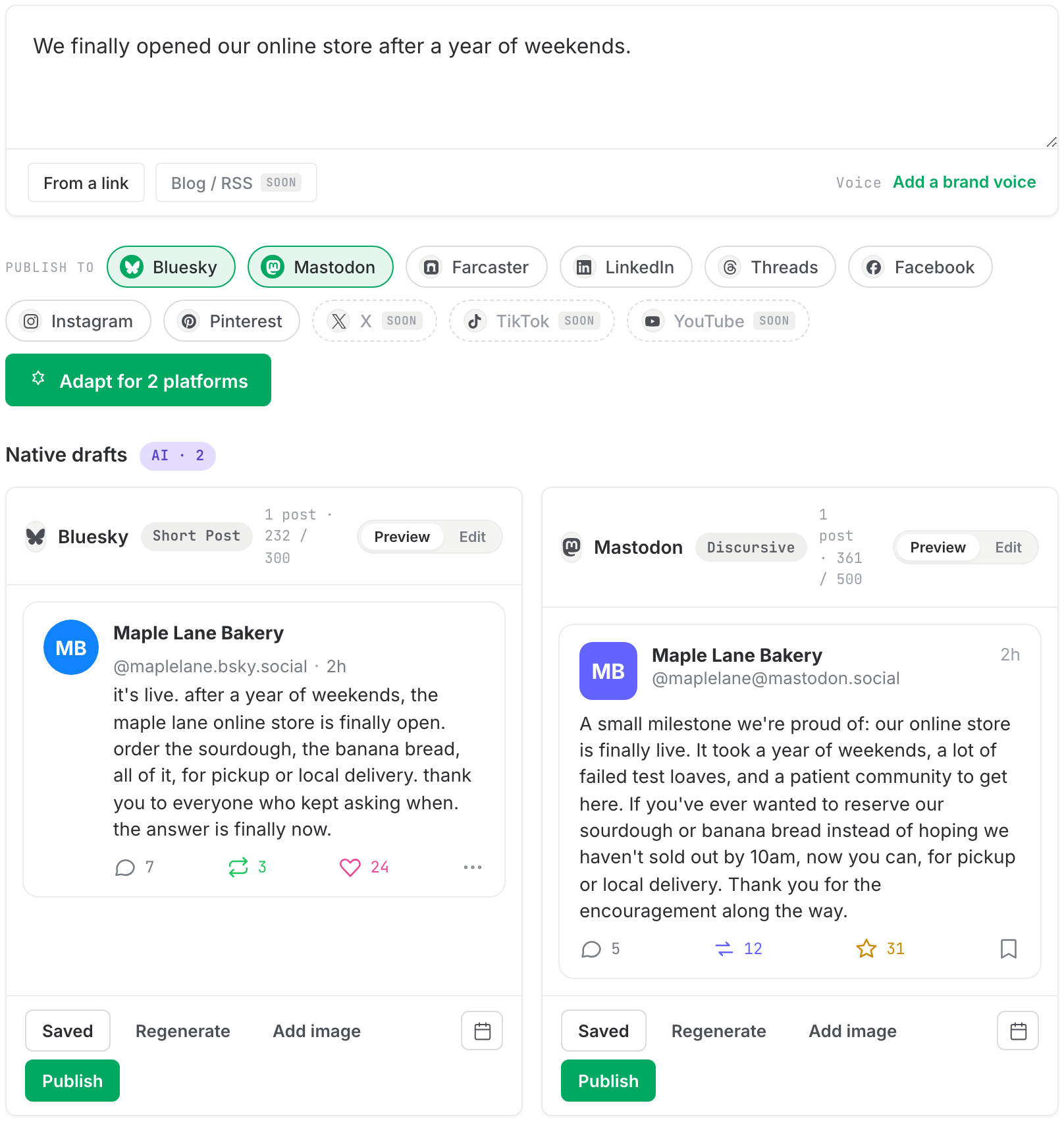
Composing one idea and getting drafts made for Bluesky and Mastodon
the content agent

Your week, already drafted.

The content agent reads what has been working and hands you next week half done. Approve the ones you like, edit the rest, skip what does not fit. The keepers get adapted per platform and scheduled. Monday mornings stop being a blank page.
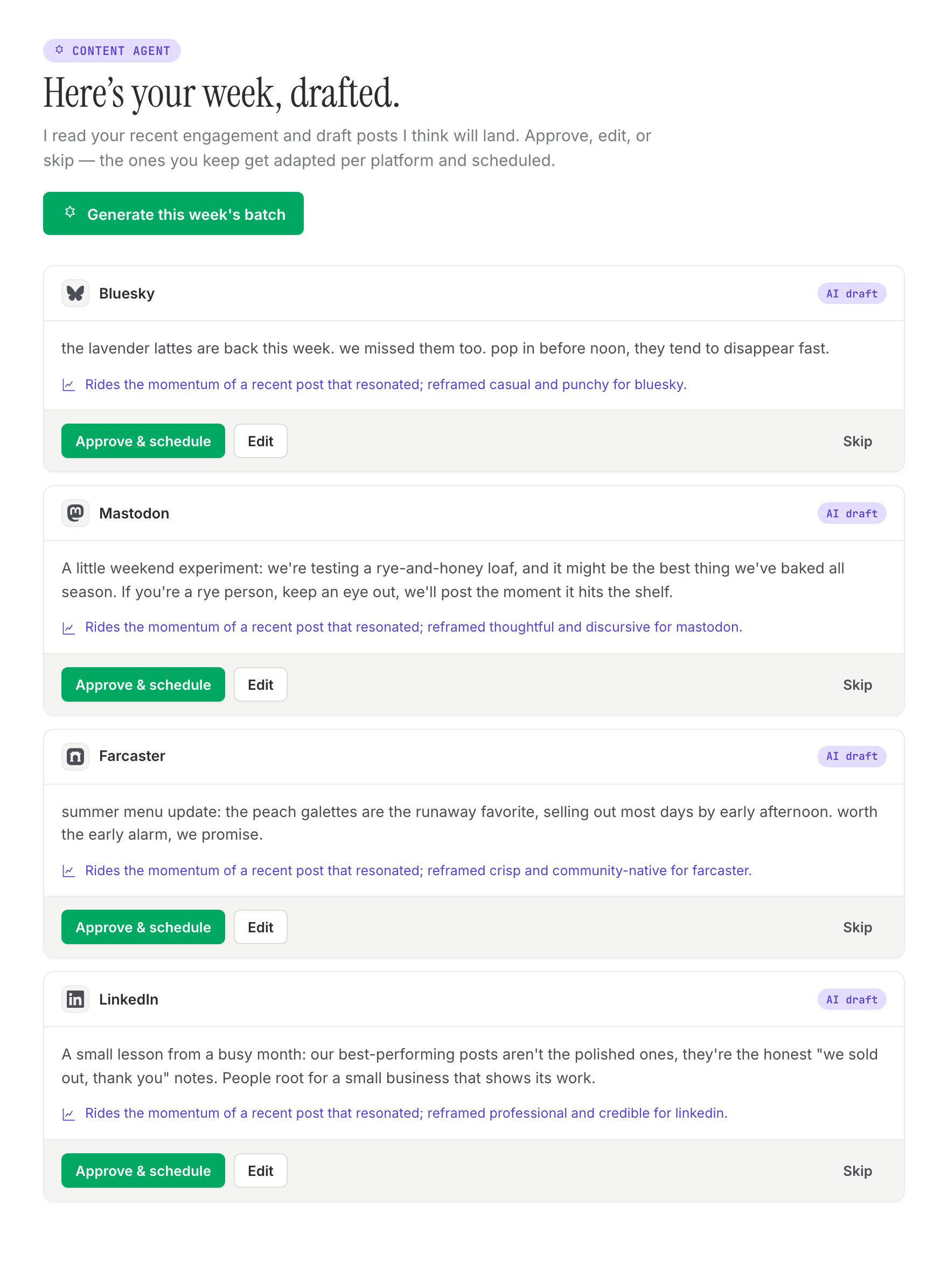
The content agent proposing a week of posts to approve or edit
the calendar

See your whole week at a glance.

A visual calendar for everything going out, and when. Plan ahead and fill the gaps. Instead of a generic best-time-to-post chart, Quillcaster learns the windows that actually work for your audience.
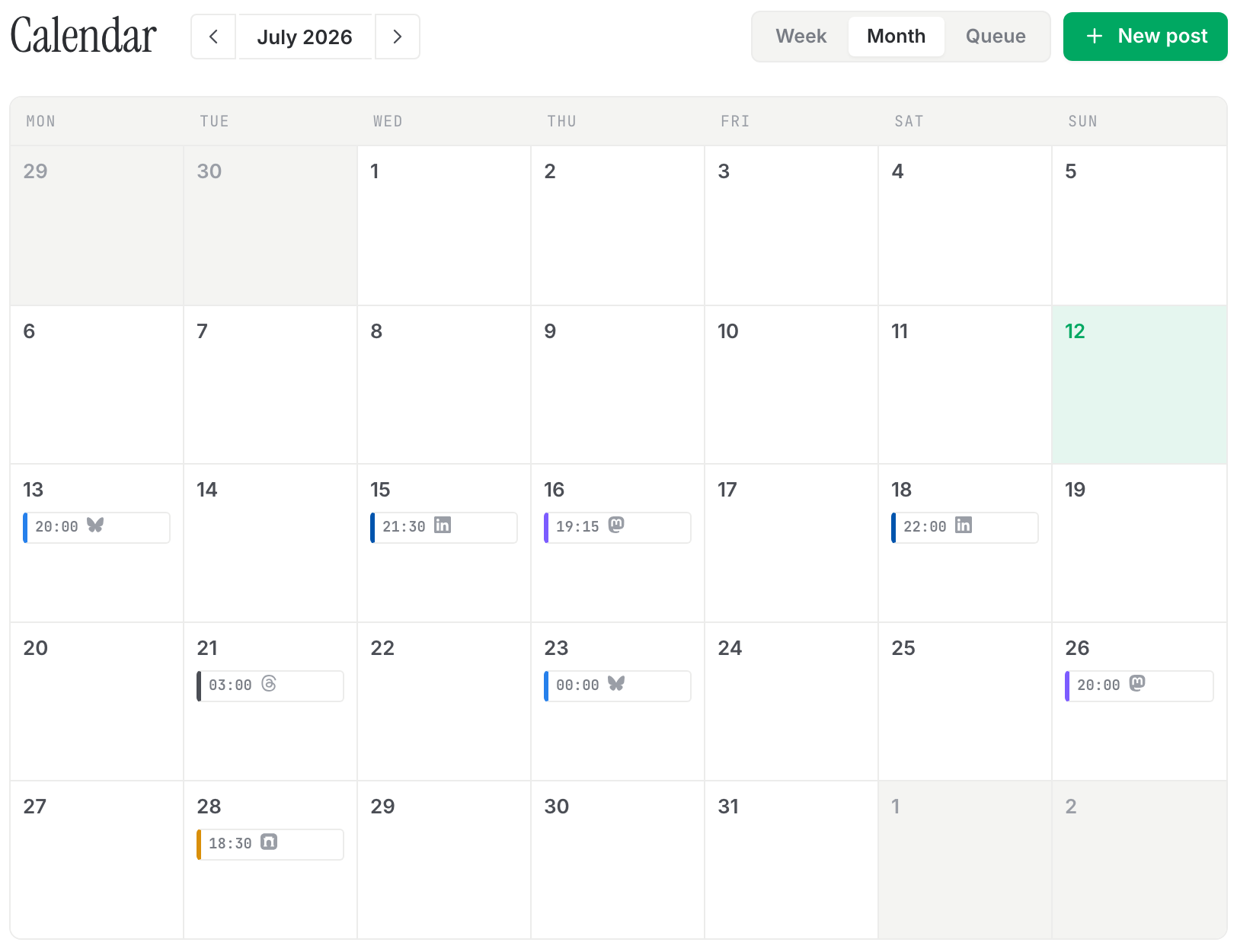
A visual calendar showing scheduled posts across the week
drafts, queue, published

Drafts, scheduled, published, all in one place.

Every post lives in one tabbed view: what is in progress, what is queued, and what is already out. Teams and agencies can turn on approvals so a second set of eyes signs off before anything publishes.
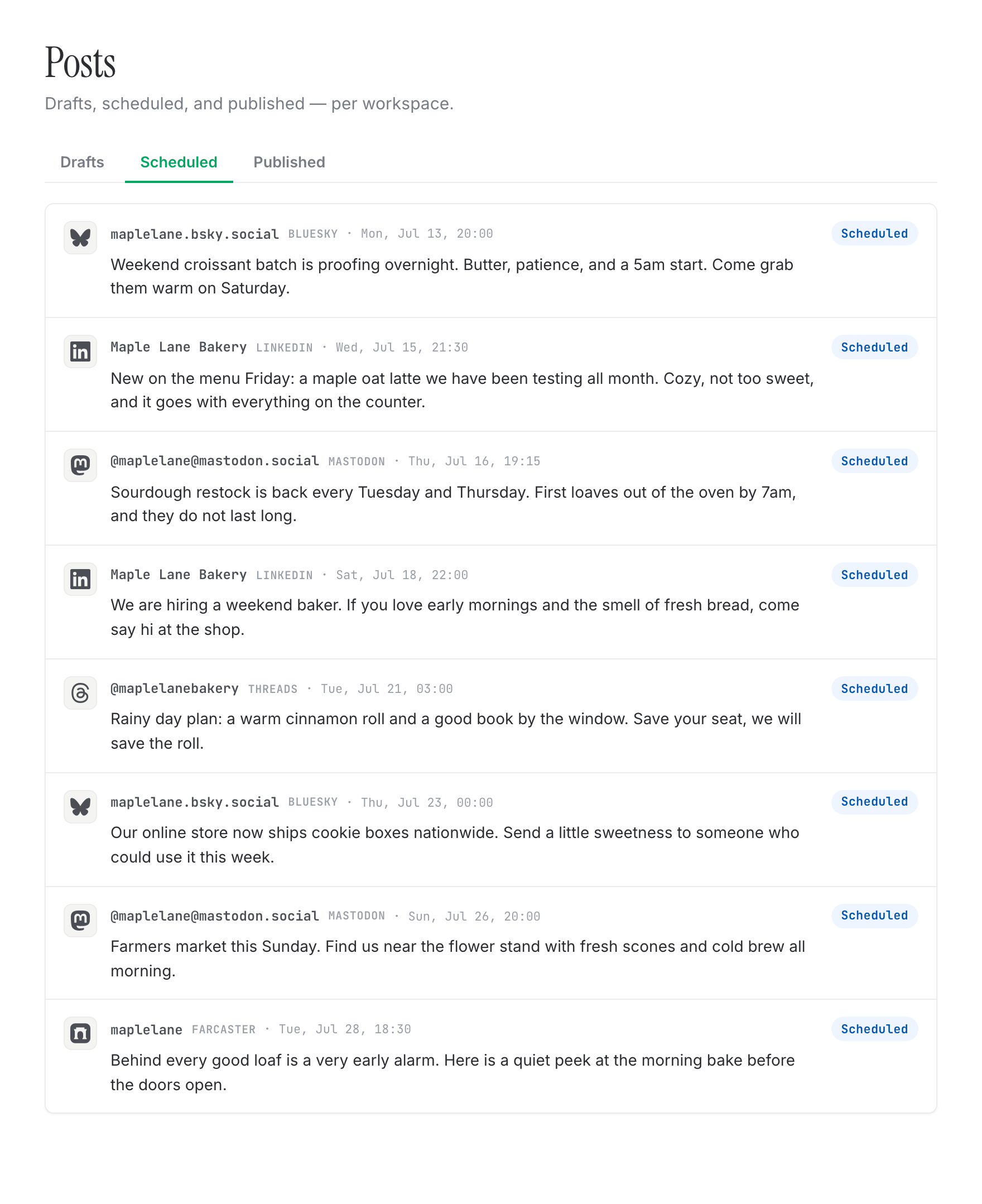
The posts view showing scheduled posts in a tabbed list
The posts view showing already-published posts
everything else

The rest of what you get.

The workaday parts, done properly, so nothing gets in your way.

Per-brand voice
Each workspace gets its own voice, learned from your own posts, so drafts read like you.
Approvals for teams
Turn on a review step so a second set of eyes signs off before anything publishes.
Roles and permissions
Admins, editors, and viewers, so everyone has exactly the access they need.
A link in bio
A tidy page that points people to everything you make, in one place.
A media library
Your images live in one workspace library, ready to drop into any post.
Learns your best times
It picks up the windows your audience actually shows up, per platform, not a generic chart.

more places

Works on the newer networks too.

Most tools ignore Bluesky, Mastodon, and Farcaster. Quillcaster posts to them as well, so you are ready wherever your audience goes next. Connect them and post today, through official APIs only. Instagram, Threads, Facebook, LinkedIn, and Pinterest are rolling out as each platform approves us.

ready when you are

Start free. No card needed to begin.

Bring one idea and watch it become a post made for each app. Free while we are in early access.

Start free
good questions

Bits you might be wondering.

Do I have to write a version for each platform?
No. You bring one idea and Quillcaster writes a genuinely different version for each platform in your voice: a short, punchy post for Bluesky, a longer, discursive one for Mastodon, a professional reframe for LinkedIn. You review each one, tweak what you want, and hit go.
Which platforms can I post to today?
Three are open and ready right now: Bluesky, Mastodon, and Farcaster. Connect your account and post today, through official APIs only. Instagram, Threads, Facebook, LinkedIn, and Pinterest are built and rolling out as each platform approves us.
Will it sound like me?
Yes. Each workspace gets its own brand voice, learned from your own posts, so drafts read like you wrote them. And you can always edit anything before it goes out.
How much does it cost?
Free to start while we are in early access, and no card is needed to begin. Paid plans come later, priced per seat or per workspace.